Will the game detect the macro as cheating?
The macro replays standard keyboard and mouse input at the hardware level—the same events a player would generate by hand. It does not inject code into the game or read game memory. TDS rules are yours to verify; the tool itself sends only normal input.
Can I replay the same routine on different maps?
Yes, if the maps are similar in layout and tower placement order. If towers are positioned by exact coordinates, loading the routine on a different map may place them off-target. For different maps, record a separate routine.
What if I want to adjust the build mid-match?
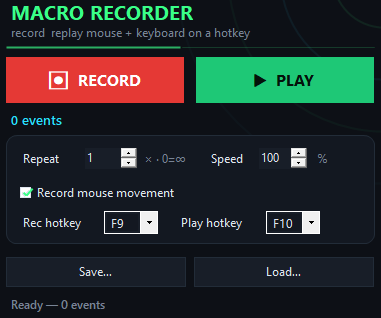
Stop the replay at any time by pressing F10 again (or your rebind), then click manually. You can also slow the replay speed to near-real-time if you want to watch and intervene during the macro.
Can I loop the macro indefinitely?
Yes. The app allows you to set a loop count or run indefinitely until you press the stop hotkey. This is ideal for AFK grinding—launch the routine and let it repeat.
Does mouse movement need to replay exactly?
No. Clicks and keystrokes are safe to replay anywhere. If your routine includes long cursor paths, pure coordinates may land differently on a new session. For portability, stick to click-based builds.
What if I need to speed up the routine?
Use the speed slider to replay at 200%, 500%, or faster. Lower it to 10% to watch and debug the sequence step-by-step.
Do I need to be online to use the macro?
No. The app is completely offline—no registration, no internet, no telemetry. Download once and use it anywhere.